
Approximate location privacy means an app shows other users your rough distance or general area, like "1.2 miles away," instead of your exact coordinates. For finding a padel partner, a coffee chat, or a co-working buddy, that trade usually works: you get enough information to match with someone nearby without exposing where you sleep at night. It's not foolproof, though, and the next sections cover exactly where it holds up and where it doesn't.
TL;DR:
- Approximately sharing location reduces risk but does not eliminate it, as triangulation and repeated routines can still reveal your actual position.
- Apps that use radius, spatial cloaking, or grid-based systems vary in how well they protect your precise location, with some offering better obfuscation than others.
- Adjusting privacy levels based on activity type, location, and time improves security, especially by using temporary visibility for first meetups and public places.
- Repeated small updates and public posts can weaken obfuscation, making it essential to balance granularity with strategic routine changes.
- Good privacy design offers multi-level, recipient-aware, and activity-based controls, along with clear explanations, to match your needs and prevent unintended leaks.
Table of Contents
- How Apps Share Approximate Location Without Giving Up Your Exact Spot
- Where Approximate Location Can Still Leak More Than You Think
- Which Privacy Setting Fits Your Activity
- What Good Privacy Design Looks Like in a Meetup App
- How Conppi Handles Approximate Distance Sharing
- Eight Quick Privacy Steps Before Your Next Meetup
- Balancing Openness and Safety to Actually Meet People
- Sources
- FAQ
How Apps Share Approximate Location Without Giving Up Your Exact Spot
Most meetup and activity apps rely on one of three techniques, and they feel different in daily use even though the underlying goal is the same: let two people know they're close enough to meet without either one seeing the other's front door on a map.
Radius or proximity sharing is the simplest version. The app checks whether you fall inside a set distance, say 500 meters or 3 miles, and tells the other user "nearby" or gives a rounded figure. No pin drops on a shared map, just a number or a band.
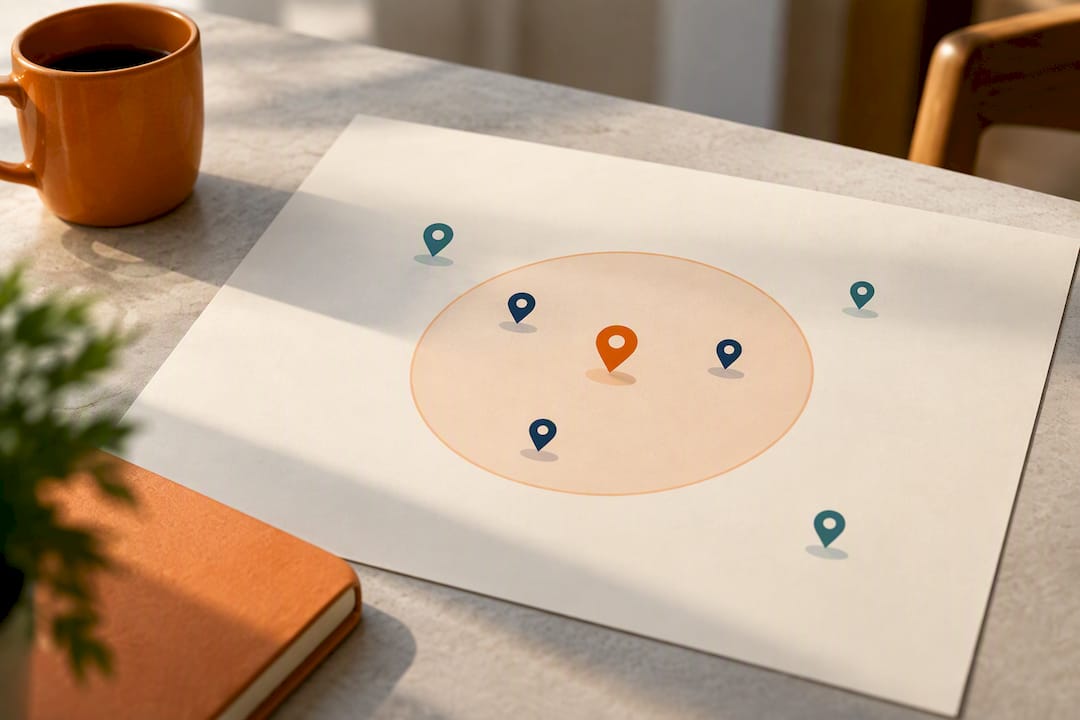
Spatial cloaking goes a step further by masking your position inside a larger shape, like a neighborhood-sized box, rather than a circle centered exactly on you. Research on geosocial query systems with user-controlled privacy describes this as a way to preserve locality (you still show up as "in the area") while making it much harder for anyone to pinpoint your actual position through repeated queries.
Grid or tessellation-based approaches, demonstrated in the Albatross privacy-preserving location sharing system, divide a map into cells and test proximity by comparing which cell each user falls into, sometimes using private equality testing so the server itself never learns exact coordinates. It's worth being clear here: this article is about the app-level choice to share distance instead of coordinates, not your phone's operating system permission settings for coarse versus precise GPS access. That's a separate layer entirely, and it's not what determines whether a stranger in a meetup app can find your house.
What you actually see as a user tends to include:
- Granularity sliders or presets (exact, nearby, city-level, invisible)
- Recipient groups that change what different people can see
- Temporary or session-based visibility that expires after an event
- Check-in features tied to a specific meetup rather than continuous tracking
Where Approximate Location Can Still Leak More Than You Think
Obfuscation reduces risk. It doesn't eliminate it, and the failure modes are worth knowing before you assume "approximate" means "safe."
Triangulation and co-location attacks are the classic problem. If someone can see your rough distance from three or more reference points, or simply watches your reported distance change as you move, they can often narrow your actual position surprisingly fast. The same spatial cloaking research that recommends masking your location inside a larger area also warns that transitions across cloak boundaries, and co-location with other known users, can leak information even when no exact point is ever shared.
Server-side inference is the quieter risk. Even if your device never sends exact GPS to another user, the app's own servers may log enough repeated queries to infer your home or workplace over time, especially if you check in from the same spot every morning.
Timing and auxiliary data compound both problems. A public post about your running route, a recurring 7 a.m. co-working check-in, or a language exchange profile that mentions your neighborhood coffee shop gives an attacker context that turns "approximate" into "close enough."
A randomized study of 2,579 Android users found that 90.7% chose precise location sharing for a task like rideshare, while 71.3% chose approximate for something lower-stakes like local news. Your choice of granularity should match the task, not default to whatever the app suggests.
Practical takeaways from this research:
- Repeated small location updates are riskier than one-time approximate shares
- Public posts and consistent routines undercut whatever obfuscation your app provides
- Server policies matter as much as what's displayed on screen
Which Privacy Setting Fits Your Activity
Different activities call for different amounts of precision, and treating them all the same is where most people go wrong.
- Running and cycling groups can usually tolerate a wider radius since the point is to meet at a public trailhead or park entrance anyway, not a private address.
- Coffee and co-working meetups work fine at neighborhood-level precision. Share a meeting point, like a specific café, rather than your live position.
- Padel and tennis partners need a smaller radius to find someone who can actually reach the court in reasonable time, but there's no reason to go address-level. Court names and public booking links do that job better.
- Language exchange benefits from flexibility since matches often span a wider area; favor neutral public spaces like libraries or bookshops over home addresses.
New to a city and meeting strangers for the first time? Start tighter and looser only if matches dry up. Longtime locals doing recurring meetups with familiar faces can usually afford a bit more precision without much added risk. Evening meetups deserve tighter defaults than daytime ones, simply because fewer public eyes are around.
The general rule: reduce precision until your match quality drops below useful, then dial it back up slightly. Test this safely by adjusting one setting at a time, checking match volume over a few days, and never testing with your home address as the reference point.
Pro Tip: Set your first meetup with any new match to a temporary, session-based visibility window instead of a permanent setting. If the meetup goes well, you can always loosen things for future events.
What Good Privacy Design Looks Like in a Meetup App
A binary "location on or off" toggle isn't enough. Research on obfuscation preferences among location-sharing users found that people naturally use at least four different obfuscation levels depending on who they're sharing with, what time it is, and where they are, which means a single switch can't reflect how people actually think about privacy.
Apps worth using should offer:
- Multi-level obfuscation, not just on/off, so you can dial precision up or down by context
- Recipient-aware rules that treat close friends, casual matches, and strangers differently
- Time- and activity-based automation, like auto-hiding location after dark or only showing it during an active event window
- Server-minimizing technical patterns, including encrypted proximity checks, dummy events, or cached responses that keep even your "invisible" preference from being obvious to the server
- Plain-language explanations of what each visibility level actually reveals, not vague labels
If an app can't tell you in one sentence what "nearby" means in terms of distance, that's a red flag worth noticing.
How Conppi Handles Approximate Distance Sharing
Conppi is built as an activity partner app around one core design choice: matches are made by mutual interest and proximity, not by browsing profiles or exact coordinates. The app shows only approximate distance between users, which keeps the focus on whether someone's a good match for tennis, co-working, or a coffee chat, rather than exactly where they live.
Recommended settings inside Conppi reflect the activity guidance above:
- Neighborhood-level radius for coffee meetups and co-working sessions
- A wider radius for sports partners like running or cycling groups, where a public starting point matters more than exact proximity
- Temporary visibility turned on for one-off events, especially first meetups with a new match
Meet in public places, agree on an arrival window before heading out, and check Conppi's child-safety and safety resources page if you're coordinating activities involving minors.
Eight Quick Privacy Steps Before Your Next Meetup
- Audit which apps actually need location access and revoke the rest
- Match your granularity setting to the activity, not the app's default
- Turn on recipient rules and temporary visibility for new contacts
- Skip repeated small check-ins that build a movement pattern over time
- Pick a public meeting spot and share a time window, not a live pin
- Use in-app blocking, reporting, and verification tools before meeting
- Rotate meeting locations instead of using the same spot every time
- Keep home and work addresses off your profile entirely
Pro Tip: If a match pushes you to share an exact address before a first meetup, that's a signal to slow down, not speed up.
Balancing Openness and Safety to Actually Meet People
Approximate sharing exists because total privacy and total openness both fail the same goal: meeting someone new nearby. Start tighter than feels necessary. Loosen only when matches thin out, and treat that adjustment as data, not a compromise. Conppi's approximate-distance approach gives you room to test that balance without overcommitting on day one.
— Ilya
Sources
- Geosocial Query with User-Controlled Privacy
- Approximate vs. precise location in popular location-based services
- Who, when, where: Obfuscation preferences in location-sharing applications (CMU-CyLab-11-013)
FAQ
Is Sharing Approximate Location Actually Safe?
It's safer than sharing exact GPS coordinates, but not risk-free. Repeated check-ins, public posts, or predictable routines can still let someone narrow down your general area over time, so pair approximate sharing with temporary visibility and varied meeting spots.
How Is Approximate Location Different From My Phone's Location Permission?
Your phone's coarse or precise location permission controls what data reaches an app at all. Approximate location privacy, as used in meetup apps like Conppi, is a separate app-level choice to display only a distance or radius to other users, regardless of how precise the underlying GPS data is.
What's the Best Setting for a First Meetup With a Stranger?
Use the tightest granularity your app offers, combined with temporary or session-based visibility that expires after the event. Meet in a public place and share only an arrival window rather than a live location pin.
Do Different Apps Handle This the Same Way?
No. Some rely on simple radius sharing, others use spatial cloaking or grid-based proximity checks, and the quality of recipient-aware controls varies widely. Research on obfuscation preferences found that real users want multiple privacy levels, not a single on/off switch, so it's worth checking whether an app actually offers that flexibility.
Can Approximate Location Still Reveal Where I Live?
It can, if you check in from the same spot repeatedly or combine it with public information like social posts. Rotating meeting points and keeping home and work addresses off your profile reduces that risk significantly.